How should you evaluate LinkedIn automation tools?
There is no evidenced universal winner among LinkedIn automation tools. Define the job, non-negotiable constraints, operating owner, and success measure first; then test the independent candidates below on the same real task. Each card separates vendor-documented facts from the still-unknown result of that test. Because Max publishes this guide, it is excluded from the independent shortlist and evaluated in a separate disclosed block.
Choosing among LinkedIn automation tools starts with the job your current workflow does not solve. This brief gives you narrow facts from first-party pages checked July 21, 2026, plus one criterion, repeatable proof, evidence log, and rejection rule to apply before you buy. Recheck current pricing, packaging, and limits at source.
Published . Last materially updated .
Source checkLinkedIn Help: Prohibited Software and Extensions
LinkedIn's stated boundary: third-party software that scrapes, modifies, or automates activity on LinkedIn is not permitted and can lead to account restriction or closure.
Doesn’t prove
Platform policy, not a legal opinion or a prediction of enforcement against one account. A vendor's technical safeguards do not make prohibited automation compliant.
On this page
Use this guideMap the action to LinkedIn policy before touching an accountLearning goals
Frame the decision
A useful comparison of LinkedIn automation tools starts with the job you need done, not with the longest feature list. For this decision, use one written criterion: Map every planned action, data access, profile viewing, connection requests, messages, and engagement, to LinkedIn’s current rules and to any explicit written permission.
By the end, you will be able to shortlist LinkedIn automation tools by running “Evaluate only a documented permitted workflow” and applying a rejection rule written before the test.
After this guide, you can
01Turn this category decision into a checkable brief: Map every planned action, data access, profile viewing, connection requests, messages, and engagement, to LinkedIn’s current rules and to any explicit written permission.
02Apply the same proof to every finalist: Complete the policy map before connecting an account. Do not trial an action that relies on third-party scraping or unauthorized automation; evaluate only a workflow documented as permitted.
03Keep the required evidence and enforce the stop rule: Keep the LinkedIn policy URL and access date, the vendor’s exact workflow documentation, required permissions, data path, human controls, and an accountable owner. Reject the workflow if any action lacks a documented permitted route. Lower volume or ‘human-like’ timing does not create a safe limit for a prohibited method.
The field note turns this page’s criterion, proof, evidence log, and stop rule into a reusable evaluation sheet. It is not a ranking or an automatic purchase rule.
Reduce the shortlist
Start with the job, not a winner
Pick the output you actually need. The names in each lane have at least one dated first-party claim that explicitly documents that job; select a name to inspect its evidence card.
Decision in 30 seconds
Reduce the list before opening vendor demos
01 · Required job
Choose one lane below. Treat every candidate without dated first-party evidence for that job as a research gap.
02 · Non-negotiable
Map every planned action, data access, profile viewing, connection requests, messages, and engagement, to LinkedIn’s current rules and to any explicit written permission.
03 · Test and stop
Complete the policy map before connecting an account. Do not trial an action that relies on third-party scraping or unauthorized automation; evaluate only a workflow documented as permitted.
Reject when: Reject the workflow if any action lacks a documented permitted route. Lower volume or ‘human-like’ timing does not create a safe limit for a prohibited method.
Add documented LinkedIn steps
Map LinkedIn research or outreach actions before applying the platform-policy gate.
Closely: Closely documents LinkedIn sequences with connection requests, profile visits, follow-ups, reply-triggered pauses, and optional email steps.
Dux-Soup: Dux-Soup documents drip campaigns with configurable action delays, response detection that can pause a campaign, and LinkedIn actions such as visits, connection requests, messages, and InMail.
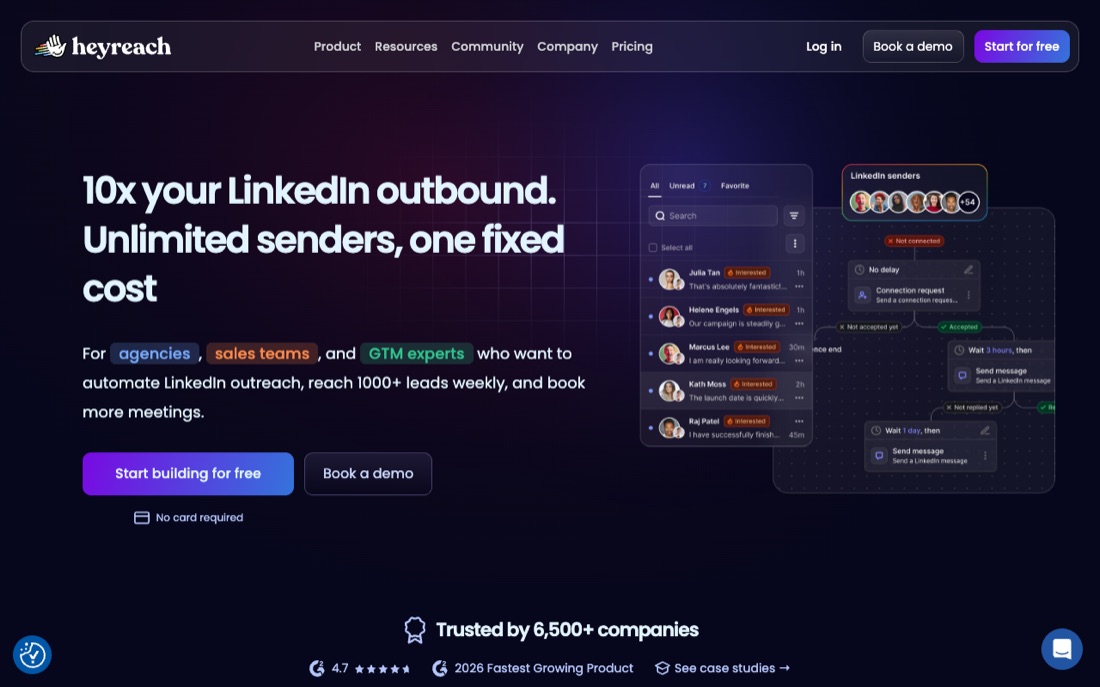
HeyReach: HeyReach documents LinkedIn sequence actions and branches plus hand-off steps that add leads to Smartlead, Instantly, or EmailBison.
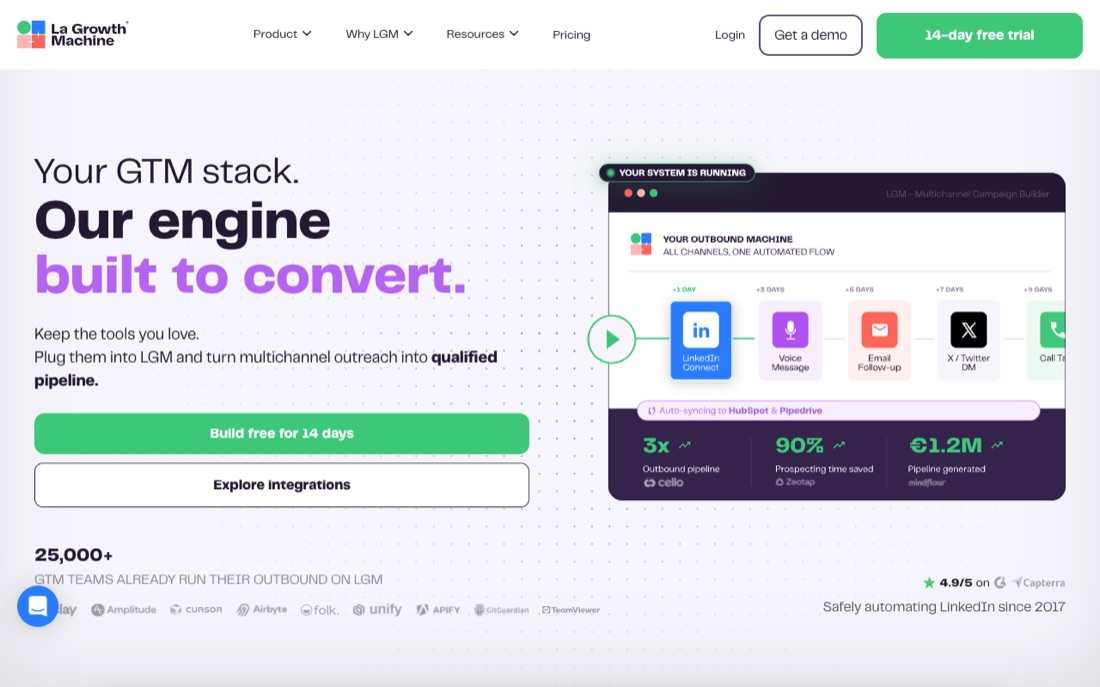
La Growth Machine: La Growth Machine documents a custom sequence builder and multichannel prospecting across LinkedIn, email, and X, with calls available as campaign steps.
LinkedIn Sales Navigator: LinkedIn documents Sales Navigator search with more than 50 filters, saved filters, and real-time alerts for changes to saved leads and accounts.
Octopus CRM: Octopus CRM documents automated LinkedIn connection requests, bulk messages to first-degree connections, profile visits, and skill endorsements.
Overloop: Overloop documents an integrated contact database and AI-generated multichannel sequences spanning email and LinkedIn, including sequence steps, timing, messages, and follow-ups.
SalesRobot: SalesRobot documents importing prospects from LinkedIn Search, Sales Navigator, Recruiter, and post reactions, then using connection, message, InMail, and voice-message actions.
Waalaxy: Waalaxy says operators choose from its existing LinkedIn-only or LinkedIn-plus-email sequence templates; they cannot currently create a sequence or modify its steps themselves.
Operate multiple senders or teammates
Coordinate more than one sender or operator without treating scale as a result.
Closely: Its unified inbox brings together LinkedIn DMs, InMails, and email replies and includes teammate-presence controls intended to prevent reply collisions.
Dux-Soup: The team offering adds shared campaigns, duplicate-target avoidance, team statistics, license administration, and contact management; cloud operation is a separate higher-tier capability.
HeyReach: A campaign can use multiple LinkedIn senders, but action limits apply per sender across campaigns and are shared when the same sender participates in more than one campaign.
Linked Helper: Linked Helper documents separate local-storage and cloud-storage versions: the former keeps data in device folders, while the latter adds cross-device access, sharing, and cloud backup.
Build and run email sequences
Turn an approved audience and message into a controlled email workflow.
Meet Alfred: Meet Alfred documents LinkedIn and email campaigns plus multichannel sequences that can combine LinkedIn, email, and Twitter steps; campaign availability depends on the subscription plan.
Overloop: Overloop documents an integrated contact database and AI-generated multichannel sequences spanning email and LinkedIn, including sequence steps, timing, messages, and follow-ups.
Waalaxy: Waalaxy says operators choose from its existing LinkedIn-only or LinkedIn-plus-email sequence templates; they cannot currently create a sequence or modify its steps themselves.
Route replies or meetings
Stop, route, review, or advance a sequence when a person responds.
Closely: Closely documents LinkedIn sequences with connection requests, profile visits, follow-ups, reply-triggered pauses, and optional email steps.
lemlist: In an active lemlist campaign, steps cannot be removed, reordered, or replaced; replies stop the sequence, while already-created manual tasks can still trigger sends if completed during a pause.
Linked Helper: Its plan comparison includes unlimited campaigns, a custom campaign builder, reply detection, and a built-in CRM; limits on advanced actions and webhook exports vary by plan.
Write back or hand off to a CRM
Preserve accepted records, activity, and ownership in the operating system of record.
LinkedIn Sales Navigator: Lead and contact creation, embedded profiles, ROI reporting, and advanced CRM integrations are documented as Advanced Plus capabilities rather than features of every plan.
Octopus CRM: The product page also documents CSV import and export plus integrations that can send campaign data and actions to Zapier, Google Docs, or HubSpot.
The evaluation protocol
One proof, applied to every candidate
The list below is alphabetical, not ranked. Each card separates narrow facts found in first-party documentation from results we have not observed. Vendor documentation can establish what a product says it does; only the same-task proof can establish whether it works for your case.
Criterion01
Map every planned action, data access, profile viewing, connection requests, messages, and engagement, to LinkedIn’s current rules and to any explicit written permission.
Same-task proof02
Complete the policy map before connecting an account. Do not trial an action that relies on third-party scraping or unauthorized automation; evaluate only a workflow documented as permitted.
Evidence to keep03
Keep the LinkedIn policy URL and access date, the vendor’s exact workflow documentation, required permissions, data path, human controls, and an accountable owner.
Stop rule04
Reject the workflow if any action lacks a documented permitted route. Lower volume or ‘human-like’ timing does not create a safe limit for a prohibited method.
The candidates
Build a dated evidence sheet for each option
We checked the cited first-party pages on July 21, 2026. The notes below are traceable product facts, not hands-on findings. Reopen every source because packaging and capabilities can change, then record the common proof before deciding.
Its unified inbox brings together LinkedIn DMs, InMails, and email replies and includes teammate-presence controls intended to prevent reply collisions.
First-party documentation, not an independent hands-on result or a promise of fit.
Documentation checked · field result unknownThe facts above are vendor-authored. Inclusion is not a fit, safety, or performance verdict; the common proof still decides.
Evidence routine for Closely+
1 · Document. For Closely, attach dated official evidence for every item in the criterion above; mark missing answers as unknown rather than inferring them.
2 · Test. Run the common proof with Closely. Keep the sample, inputs, reviewers, time window, and acceptance criteria unchanged.
3 · Decide. Apply the evidence requirements and stop rule to Closely. Record pass, hold, or reject with observed results, unresolved unknowns, an owner, and a review date.
Its Activity Control adjusts daily activity limits using prior activity and feedback detected from LinkedIn; this is a pacing control, not a guarantee against platform restrictions.
First-party documentation, not an independent hands-on result or a promise of fit.
Documentation checked · field result unknownThe facts above are vendor-authored. Inclusion is not a fit, safety, or performance verdict; the common proof still decides.
Evidence routine for Dripify+
1 · Document. For Dripify, attach dated official evidence for every item in the criterion above; mark missing answers as unknown rather than inferring them.
2 · Test. Run the common proof with Dripify. Keep the sample, inputs, reviewers, time window, and acceptance criteria unchanged.
3 · Decide. Apply the evidence requirements and stop rule to Dripify. Record pass, hold, or reject with observed results, unresolved unknowns, an owner, and a review date.
Vendor-documented snapshot · checked July 21, 2026
Dux-Soup documents drip campaigns with configurable action delays, response detection that can pause a campaign, and LinkedIn actions such as visits, connection requests, messages, and InMail.
The team offering adds shared campaigns, duplicate-target avoidance, team statistics, license administration, and contact management; cloud operation is a separate higher-tier capability.
First-party documentation, not an independent hands-on result or a promise of fit.
Documentation checked · field result unknownThe facts above are vendor-authored. Inclusion is not a fit, safety, or performance verdict; the common proof still decides.
Evidence routine for Dux-Soup+
1 · Document. For Dux-Soup, attach dated official evidence for every item in the criterion above; mark missing answers as unknown rather than inferring them.
2 · Test. Run the common proof with Dux-Soup. Keep the sample, inputs, reviewers, time window, and acceptance criteria unchanged.
3 · Decide. Apply the evidence requirements and stop rule to Dux-Soup. Record pass, hold, or reject with observed results, unresolved unknowns, an owner, and a review date.
First-party documentation, not an independent hands-on result or a promise of fit.
Documentation checked · field result unknownThe facts above are vendor-authored. Inclusion is not a fit, safety, or performance verdict; the common proof still decides.
Evidence routine for Expandi+
1 · Document. For Expandi, attach dated official evidence for every item in the criterion above; mark missing answers as unknown rather than inferring them.
2 · Test. Run the common proof with Expandi. Keep the sample, inputs, reviewers, time window, and acceptance criteria unchanged.
3 · Decide. Apply the evidence requirements and stop rule to Expandi. Record pass, hold, or reject with observed results, unresolved unknowns, an owner, and a review date.
A campaign can use multiple LinkedIn senders, but action limits apply per sender across campaigns and are shared when the same sender participates in more than one campaign.
First-party documentation, not an independent hands-on result or a promise of fit.
Documentation checked · field result unknownThe facts above are vendor-authored. Inclusion is not a fit, safety, or performance verdict; the common proof still decides.
Evidence routine for HeyReach+
1 · Document. For HeyReach, attach dated official evidence for every item in the criterion above; mark missing answers as unknown rather than inferring them.
2 · Test. Run the common proof with HeyReach. Keep the sample, inputs, reviewers, time window, and acceptance criteria unchanged.
3 · Decide. Apply the evidence requirements and stop rule to HeyReach. Record pass, hold, or reject with observed results, unresolved unknowns, an owner, and a review date.
Vendor-documented snapshot · checked July 21, 2026
La Growth Machine documents a custom sequence builder and multichannel prospecting across LinkedIn, email, and X, with calls available as campaign steps.
Its published trial includes the product's features except custom sequences; the pricing FAQ directs evaluators who need that capability during the trial to contact support.
First-party documentation, not an independent hands-on result or a promise of fit.
Documentation checked · field result unknownThe facts above are vendor-authored. Inclusion is not a fit, safety, or performance verdict; the common proof still decides.
Evidence routine for La Growth Machine+
1 · Document. For La Growth Machine, attach dated official evidence for every item in the criterion above; mark missing answers as unknown rather than inferring them.
2 · Test. Run the common proof with La Growth Machine. Keep the sample, inputs, reviewers, time window, and acceptance criteria unchanged.
3 · Decide. Apply the evidence requirements and stop rule to La Growth Machine. Record pass, hold, or reject with observed results, unresolved unknowns, an owner, and a review date.
In an active lemlist campaign, steps cannot be removed, reordered, or replaced; replies stop the sequence, while already-created manual tasks can still trigger sends if completed during a pause.
First-party documentation, not an independent hands-on result or a promise of fit.
Documentation checked · field result unknownThe facts above are vendor-authored. Inclusion is not a fit, safety, or performance verdict; the common proof still decides.
Evidence routine for lemlist+
1 · Document. For lemlist, attach dated official evidence for every item in the criterion above; mark missing answers as unknown rather than inferring them.
2 · Test. Run the common proof with lemlist. Keep the sample, inputs, reviewers, time window, and acceptance criteria unchanged.
3 · Decide. Apply the evidence requirements and stop rule to lemlist. Record pass, hold, or reject with observed results, unresolved unknowns, an owner, and a review date.
Vendor-documented snapshot · checked July 21, 2026
Linked Helper documents separate local-storage and cloud-storage versions: the former keeps data in device folders, while the latter adds cross-device access, sharing, and cloud backup.
Its plan comparison includes unlimited campaigns, a custom campaign builder, reply detection, and a built-in CRM; limits on advanced actions and webhook exports vary by plan.
First-party documentation, not an independent hands-on result or a promise of fit.
Documentation checked · field result unknownThe facts above are vendor-authored. Inclusion is not a fit, safety, or performance verdict; the common proof still decides.
Evidence routine for Linked Helper+
1 · Document. For Linked Helper, attach dated official evidence for every item in the criterion above; mark missing answers as unknown rather than inferring them.
2 · Test. Run the common proof with Linked Helper. Keep the sample, inputs, reviewers, time window, and acceptance criteria unchanged.
3 · Decide. Apply the evidence requirements and stop rule to Linked Helper. Record pass, hold, or reject with observed results, unresolved unknowns, an owner, and a review date.
Lead and contact creation, embedded profiles, ROI reporting, and advanced CRM integrations are documented as Advanced Plus capabilities rather than features of every plan.
First-party documentation, not an independent hands-on result or a promise of fit.
Documentation checked · field result unknownThe facts above are vendor-authored. Inclusion is not a fit, safety, or performance verdict; the common proof still decides.
Evidence routine for LinkedIn Sales Navigator+
1 · Document. For LinkedIn Sales Navigator, attach dated official evidence for every item in the criterion above; mark missing answers as unknown rather than inferring them.
2 · Test. Run the common proof with LinkedIn Sales Navigator. Keep the sample, inputs, reviewers, time window, and acceptance criteria unchanged.
3 · Decide. Apply the evidence requirements and stop rule to LinkedIn Sales Navigator. Record pass, hold, or reject with observed results, unresolved unknowns, an owner, and a review date.
Vendor-documented snapshot · checked July 21, 2026
Meet Alfred documents LinkedIn and email campaigns plus multichannel sequences that can combine LinkedIn, email, and Twitter steps; campaign availability depends on the subscription plan.
The same current help page marks standalone Twitter campaigns as under maintenance, even though Twitter actions are still described in the multichannel sequence builder.
First-party documentation, not an independent hands-on result or a promise of fit.
Documentation checked · field result unknownThe facts above are vendor-authored. Inclusion is not a fit, safety, or performance verdict; the common proof still decides.
Evidence routine for Meet Alfred+
1 · Document. For Meet Alfred, attach dated official evidence for every item in the criterion above; mark missing answers as unknown rather than inferring them.
2 · Test. Run the common proof with Meet Alfred. Keep the sample, inputs, reviewers, time window, and acceptance criteria unchanged.
3 · Decide. Apply the evidence requirements and stop rule to Meet Alfred. Record pass, hold, or reject with observed results, unresolved unknowns, an owner, and a review date.
First-party documentation, not an independent hands-on result or a promise of fit.
Documentation checked · field result unknownThe facts above are vendor-authored. Inclusion is not a fit, safety, or performance verdict; the common proof still decides.
Evidence routine for Octopus CRM+
1 · Document. For Octopus CRM, attach dated official evidence for every item in the criterion above; mark missing answers as unknown rather than inferring them.
2 · Test. Run the common proof with Octopus CRM. Keep the sample, inputs, reviewers, time window, and acceptance criteria unchanged.
3 · Decide. Apply the evidence requirements and stop rule to Octopus CRM. Record pass, hold, or reject with observed results, unresolved unknowns, an owner, and a review date.
Vendor-documented snapshot · checked July 21, 2026
Overloop documents an integrated contact database and AI-generated multichannel sequences spanning email and LinkedIn, including sequence steps, timing, messages, and follow-ups.
First-party documentation, not an independent hands-on result or a promise of fit.
Documentation checked · field result unknownThe facts above are vendor-authored. Inclusion is not a fit, safety, or performance verdict; the common proof still decides.
Evidence routine for Overloop+
1 · Document. For Overloop, attach dated official evidence for every item in the criterion above; mark missing answers as unknown rather than inferring them.
2 · Test. Run the common proof with Overloop. Keep the sample, inputs, reviewers, time window, and acceptance criteria unchanged.
3 · Decide. Apply the evidence requirements and stop rule to Overloop. Record pass, hold, or reject with observed results, unresolved unknowns, an owner, and a review date.
Vendor-documented snapshot · checked July 21, 2026
PhantomBuster distinguishes single-task Phantoms, which can be run or chained individually, from Workflows that package multiple extraction, enrichment, and outreach steps.
PhantomBuster's API can launch and control individual Phantoms, but the vendor says Workflows cannot be launched through the API and recommends chaining individual Phantoms for that use case.
First-party documentation, not an independent hands-on result or a promise of fit.
Documentation checked · field result unknownThe facts above are vendor-authored. Inclusion is not a fit, safety, or performance verdict; the common proof still decides.
Evidence routine for PhantomBuster+
1 · Document. For PhantomBuster, attach dated official evidence for every item in the criterion above; mark missing answers as unknown rather than inferring them.
2 · Test. Run the common proof with PhantomBuster. Keep the sample, inputs, reviewers, time window, and acceptance criteria unchanged.
3 · Decide. Apply the evidence requirements and stop rule to PhantomBuster. Record pass, hold, or reject with observed results, unresolved unknowns, an owner, and a review date.
Vendor-documented snapshot · checked July 21, 2026
SalesRobot documents importing prospects from LinkedIn Search, Sales Navigator, Recruiter, and post reactions, then using connection, message, InMail, and voice-message actions.
SalesRobot's own disclaimer says it is not endorsed by LinkedIn and that using it may not comply with LinkedIn's User Agreement, leaving use at the customer's discretion and risk.
First-party documentation, not an independent hands-on result or a promise of fit.
Documentation checked · field result unknownThe facts above are vendor-authored. Inclusion is not a fit, safety, or performance verdict; the common proof still decides.
Evidence routine for SalesRobot+
1 · Document. For SalesRobot, attach dated official evidence for every item in the criterion above; mark missing answers as unknown rather than inferring them.
2 · Test. Run the common proof with SalesRobot. Keep the sample, inputs, reviewers, time window, and acceptance criteria unchanged.
3 · Decide. Apply the evidence requirements and stop rule to SalesRobot. Record pass, hold, or reject with observed results, unresolved unknowns, an owner, and a review date.
Vendor-documented snapshot · checked July 21, 2026
Waalaxy says operators choose from its existing LinkedIn-only or LinkedIn-plus-email sequence templates; they cannot currently create a sequence or modify its steps themselves.
Waalaxy documents that a prospect already in a campaign cannot enter another even when the first is paused, and an email-only sequence requires an address or an enrichment step.
First-party documentation, not an independent hands-on result or a promise of fit.
Documentation checked · field result unknownThe facts above are vendor-authored. Inclusion is not a fit, safety, or performance verdict; the common proof still decides.
Evidence routine for Waalaxy+
1 · Document. For Waalaxy, attach dated official evidence for every item in the criterion above; mark missing answers as unknown rather than inferring them.
2 · Test. Run the common proof with Waalaxy. Keep the sample, inputs, reviewers, time window, and acceptance criteria unchanged.
3 · Decide. Apply the evidence requirements and stop rule to Waalaxy. Record pass, hold, or reject with observed results, unresolved unknowns, an owner, and a review date.
Vendor-documented snapshot · checked July 21, 2026
The Zopto homepage currently redirects to a Zeekeo pricing page that markets Zeekeo Launchpad rather than a Zopto-branded product, so buyers should confirm the current product name and contracting entity before evaluation.
First-party documentation, not an independent hands-on result or a promise of fit.
Documentation checked · field result unknownThe facts above are vendor-authored. Inclusion is not a fit, safety, or performance verdict; the common proof still decides.
Evidence routine for Zopto+
1 · Document. For Zopto, attach dated official evidence for every item in the criterion above; mark missing answers as unknown rather than inferring them.
2 · Test. Run the common proof with Zopto. Keep the sample, inputs, reviewers, time window, and acceptance criteria unchanged.
3 · Decide. Apply the evidence requirements and stop rule to Zopto. Record pass, hold, or reject with observed results, unresolved unknowns, an owner, and a review date.
Map the action to LinkedIn policy before touching an account
Turn the search behind best linkedin automation tools into one observable job. Map every planned action, data access, profile viewing, connection requests, messages, and engagement, to LinkedIn’s current rules and to any explicit written permission. Name the owner, current failure, required output, deadline, and the constraint that cannot be traded away before opening vendor demos.
Write one must-have outcome and one automatic rejection rule.
Separate required capability from a preference or a polished demo moment.
Fix the sample, reviewers, time window, and success measure before vendor calls.
Record the full operating model: people, permissions, data, integrations, and cost.
Evaluate only a documented permitted workflow
Apply this proof without changing the sample or success measure between candidates: Complete the policy map before connecting an account. Do not trial an action that relies on third-party scraping or unauthorized automation; evaluate only a workflow documented as permitted. A blank cell means “not yet verified,” not “no.” Keep vendor positioning separate from what your team observes.
Link the exact source and record the access date beside every decisive claim.
Write unknown when documentation is absent; do not infer a feature or weakness.
Keep vendor claims, observed test results, and team judgments in separate fields.
Ask the same follow-up questions and require the same proof from every finalist.
Treat prohibited method as an automatic stop
Run the controlled evaluation exactly as written: Complete the policy map before connecting an account. Do not trial an action that relies on third-party scraping or unauthorized automation; evaluate only a workflow documented as permitted. Keep this evidence: Keep the LinkedIn policy URL and access date, the vendor’s exact workflow documentation, required permissions, data path, human controls, and an accountable owner. Apply the stop rule before seeing the outcome: Reject the workflow if any action lacks a documented permitted route. Lower volume or ‘human-like’ timing does not create a safe limit for a prohibited method.
Record pass, hold, reject, and unknown against the pre-written criteria.
Separate observed results from vendor statements and team preferences.
Have the named owner sign the decision log before purchase or production use.
Re-check decisive documentation at renewal or whenever the workflow changes.
Bookmark this
The field note
The reusable model, scorecard, and exercise from this guide. Keep them in one place for your next pipeline review.
The mental model
Brief01
Map the action to LinkedIn policy before touching an account
Map every planned action, data access, profile viewing, connection requests, messages, and engagement, to LinkedIn’s current rules and to any explicit written permission.
Proof02
Evaluate only a documented permitted workflow
Complete the policy map before connecting an account. Do not trial an action that relies on third-party scraping or unauthorized automation; evaluate only a workflow documented as permitted.
Record03
Keep decision-grade evidence
Keep the LinkedIn policy URL and access date, the vendor’s exact workflow documentation, required permissions, data path, human controls, and an accountable owner.
Decide04
Treat prohibited method as an automatic stop
Reject the workflow if any action lacks a documented permitted route. Lower volume or ‘human-like’ timing does not create a safe limit for a prohibited method.
The 10-point check
CriterionCan current documentation and the test support this requirement: Map every planned action, data access, profile viewing, connection requests, messages, and engagement, to LinkedIn’s current rules and to any explicit written permission.0 · 1 · 2
Same-task proofDid the candidate complete this unchanged test: Complete the policy map before connecting an account. Do not trial an action that relies on third-party scraping or unauthorized automation; evaluate only a workflow documented as permitted.0 · 1 · 2
Evidence logDid the team retain this decision evidence: Keep the LinkedIn policy URL and access date, the vendor’s exact workflow documentation, required permissions, data path, human controls, and an accountable owner.0 · 1 · 2
OwnerCan a named owner operate and review the tested LinkedIn automation tools workflow without relying on demo-only help?0 · 1 · 2
Stop ruleWould the team reject the candidate when this rule fires: Reject the workflow if any action lacks a documented permitted route. Lower volume or ‘human-like’ timing does not create a safe limit for a prohibited method.0 · 1 · 2
Use 0 for failed, 1 for unresolved, and 2 for observed on the same test. Compare totals only across finalists tested under the same conditions; there is no universal cutoff. The pre-written override is: Reject the workflow if any action lacks a documented permitted route. Lower volume or ‘human-like’ timing does not create a safe limit for a prohibited method.
Worked gate check
Decision brief
Map every planned action, data access, profile viewing, connection requests, messages, and engagement, to LinkedIn’s current rules and to any explicit written permission.
Test run
Complete the policy map before connecting an account. Do not trial an action that relies on third-party scraping or unauthorized automation; evaluate only a workflow documented as permitted.
Decision record
Keep the LinkedIn policy URL and access date, the vendor’s exact workflow documentation, required permissions, data path, human controls, and an accountable owner.
Rejection
Reject the workflow if any action lacks a documented permitted route. Lower volume or ‘human-like’ timing does not create a safe limit for a prohibited method.
20-minute practice
Try it on one account today.
The point is not to automate faster. It is to learn whether the reasoning survives contact with a real account.
1Turn this criterion into a one-page brief with an owner and checkboxes: Map every planned action, data access, profile viewing, connection requests, messages, and engagement, to LinkedIn’s current rules and to any explicit written permission.
2Run this exact proof with two finalists and change no inputs between runs: Complete the policy map before connecting an account. Do not trial an action that relies on third-party scraping or unauthorized automation; evaluate only a workflow documented as permitted.
3Build one evidence log from the observed run: Keep the LinkedIn policy URL and access date, the vendor’s exact workflow documentation, required permissions, data path, human controls, and an accountable owner.
4Record pass, hold, or reject, and enforce this override regardless of the score: Reject the workflow if any action lacks a documented permitted route. Lower volume or ‘human-like’ timing does not create a safe limit for a prohibited method.
Plain-English glossary
Map the action to LinkedIn policy before touching an account
Map every planned action, data access, profile viewing, connection requests, messages, and engagement, to LinkedIn’s current rules and to any explicit written permission.
Evaluate only a documented permitted workflow
Complete the policy map before connecting an account. Do not trial an action that relies on third-party scraping or unauthorized automation; evaluate only a workflow documented as permitted.
Evidence log
Keep the LinkedIn policy URL and access date, the vendor’s exact workflow documentation, required permissions, data path, human controls, and an accountable owner.
Stop rule
Reject the workflow if any action lacks a documented permitted route. Lower volume or ‘human-like’ timing does not create a safe limit for a prohibited method.
Controlled comparison
Every finalist receives the same inputs, task, reviewers, clock, acceptance criteria, and decision override.
Plain-text field note+
See the decision process
A fair evaluation, with the evidence attached.
Max keeps the criterion, same-task proof, unknowns and stop rule together, so your team can choose without turning a feature list into a verdict.
M
Max evaluation brief
Same task, same evidence standard
Illustrative example
Rejected by protocolA written stop rule failed
How Max would keep the best LinkedIn automation tools evaluation honest
Stop
1Evidence Max recorded
For best LinkedIn automation tools, Scout records the decision criterion and the source date: Map every planned action, data access, profile viewing, connection requests, messages, and engagement, to LinkedIn’s current rules and to any explicit written permission.
Scout checks current documentation, records access dates, and retains this evidence: Keep the LinkedIn policy URL and access date, the vendor’s exact workflow documentation, required permissions, data path, human controls, and an accountable owner.
×What Max refused to assume
For best LinkedIn automation tools, Strategist rejects brand familiarity, feature count, page position, and demo polish as substitutes for this controlled proof: Complete the policy map before connecting an account. Do not trial an action that relies on third-party scraping or unauthorized automation; evaluate only a workflow documented as permitted.
2Why this status holds
For best LinkedIn automation tools, the unnamed illustrative candidate fires the protocol's pre-written rejection rule: Reject the workflow if any action lacks a documented permitted route. Lower volume or ‘human-like’ timing does not create a safe limit for a prohibited method.
Decision trace: Strategist applies the unchanged protocol and records Stop without awarding Max or another vendor an automatic victory.
3Decision artifact
A rejection record for best LinkedIn automation tools, containing the criterion, same-task results, unresolved evidence, operator effort, full cost, and the written stop rule.
No draft requested. Closer stays out of the evaluation until the human decision is made.
Evidence desk
Research notes and sources
Sources were checked on . Each note states the limited point the source supports, so a benchmark is not mistaken for a promise.
How to read this bibliography
These references support the factual context and methods in this guide. They do not certify every sentence, validate a vendor's marketing claims, or imply that Max ran a hands-on product test. Vendor and industry research can still be useful, but its commercial incentives, sample, geography, and date should remain visible.
Official guidanceGoogle Search Central·Live guidance; accessed 2026-07-21
The editorial method for useful comparisons: demonstrate expertise, show evidence, discuss benefits and drawbacks, identify decision factors, and explain what distinguishes an option.
Limit
Search-quality guidance, not an endorsement of this shortlist or proof that a comparison will rank. Direct product claims still require product-level evidence.
Official guidanceLinkedIn Help·Live policy; accessed 2026-07-21
LinkedIn's stated boundary: third-party software that scrapes, modifies, or automates activity on LinkedIn is not permitted and can lead to account restriction or closure.
Limit
Platform policy, not a legal opinion or a prediction of enforcement against one account. A vendor's technical safeguards do not make prohibited automation compliant.
Official guidanceEuropean Data Protection Board·Live guidance; accessed 2026-07-21
Overloop documents an integrated contact database and AI-generated multichannel sequences spanning email and LinkedIn, including sequence steps, timing, messages, and follow-ups. Its campaign reporting is documented as tracking opens, clicks, replies, bounces, and out-of-office replies.
Limit
Vendor-authored documentation, not independent testing. It may omit trade-offs or change after the access date; verify the current page and reproduce the common proof before purchase.
Official vendor pageHeyReach·Live page; accessed 2026-07-21
HeyReach documents LinkedIn sequence actions and branches plus hand-off steps that add leads to Smartlead, Instantly, or EmailBison. A campaign can use multiple LinkedIn senders, but action limits apply per sender across campaigns and are shared when the same sender participates in more than one campaign.
Limit
Vendor-authored documentation, not independent testing. It may omit trade-offs or change after the access date; verify the current page and reproduce the common proof before purchase.
Official vendor pageExpandi·Live page; accessed 2026-07-21
Expandi documents visual Smart Sequences with behavior-based if-then branches, flexible delays, per-step statistics, exclusions, and duplicate-send prevention.
Limit
Vendor-authored documentation, not independent testing. It may omit trade-offs or change after the access date; verify the current page and reproduce the common proof before purchase.
Official vendor pageExpandi·Live page; accessed 2026-07-21
Expandi's account warm-up gradually raises configured activity limits, but it only runs when the account has an active campaign containing people.
Limit
Vendor-authored documentation, not independent testing. It may omit trade-offs or change after the access date; verify the current page and reproduce the common proof before purchase.
Official vendor pageWaalaxy·Live page; accessed 2026-07-21
Waalaxy says operators choose from its existing LinkedIn-only or LinkedIn-plus-email sequence templates; they cannot currently create a sequence or modify its steps themselves.
Limit
Vendor-authored documentation, not independent testing. It may omit trade-offs or change after the access date; verify the current page and reproduce the common proof before purchase.
Official vendor pageWaalaxy·Live page; accessed 2026-07-21
Waalaxy documents that a prospect already in a campaign cannot enter another even when the first is paused, and an email-only sequence requires an address or an enrichment step.
Limit
Vendor-authored documentation, not independent testing. It may omit trade-offs or change after the access date; verify the current page and reproduce the common proof before purchase.
Official vendor pageDripify·Live page; accessed 2026-07-21
Dripify documents multichannel sequences that combine LinkedIn and email actions with delays and conditions. Its Activity Control adjusts daily activity limits using prior activity and feedback detected from LinkedIn; this is a pacing control, not a guarantee against platform restrictions.
Limit
Vendor-authored documentation, not independent testing. It may omit trade-offs or change after the access date; verify the current page and reproduce the common proof before purchase.
Official vendor pageLa Growth Machine·Live page; accessed 2026-07-21
La Growth Machine documents a custom sequence builder and multichannel prospecting across LinkedIn, email, and X, with calls available as campaign steps.
Limit
Vendor-authored documentation, not independent testing. It may omit trade-offs or change after the access date; verify the current page and reproduce the common proof before purchase.
Official vendor pageLa Growth Machine·Live page; accessed 2026-07-21
Its published trial includes the product's features except custom sequences; the pricing FAQ directs evaluators who need that capability during the trial to contact support.
Limit
Vendor-authored documentation, not independent testing. It may omit trade-offs or change after the access date; verify the current page and reproduce the common proof before purchase.
Official vendor pagePhantomBuster·Live page; accessed 2026-07-21
PhantomBuster distinguishes single-task Phantoms, which can be run or chained individually, from Workflows that package multiple extraction, enrichment, and outreach steps.
Limit
Vendor-authored documentation, not independent testing. It may omit trade-offs or change after the access date; verify the current page and reproduce the common proof before purchase.
Official vendor pagePhantomBuster·Live page; accessed 2026-07-21
PhantomBuster's API can launch and control individual Phantoms, but the vendor says Workflows cannot be launched through the API and recommends chaining individual Phantoms for that use case.
Limit
Vendor-authored documentation, not independent testing. It may omit trade-offs or change after the access date; verify the current page and reproduce the common proof before purchase.
Official vendor pageDux-Soup·Live page; accessed 2026-07-21
Dux-Soup documents drip campaigns with configurable action delays, response detection that can pause a campaign, and LinkedIn actions such as visits, connection requests, messages, and InMail. The team offering adds shared campaigns, duplicate-target avoidance, team statistics, license administration, and contact management; cloud operation is a separate higher-tier capability.
Limit
Vendor-authored documentation, not independent testing. It may omit trade-offs or change after the access date; verify the current page and reproduce the common proof before purchase.
Official vendor pagelemlist·Live page; accessed 2026-07-21
Vendor-authored documentation, not independent testing. It may omit trade-offs or change after the access date; verify the current page and reproduce the common proof before purchase.
Official vendor pagelemlist·Live page; accessed 2026-07-21
In an active lemlist campaign, steps cannot be removed, reordered, or replaced; replies stop the sequence, while already-created manual tasks can still trigger sends if completed during a pause.
Limit
Vendor-authored documentation, not independent testing. It may omit trade-offs or change after the access date; verify the current page and reproduce the common proof before purchase.
Official vendor pageMeet Alfred·Live page; accessed 2026-07-21
Meet Alfred documents LinkedIn and email campaigns plus multichannel sequences that can combine LinkedIn, email, and Twitter steps; campaign availability depends on the subscription plan. The same current help page marks standalone Twitter campaigns as under maintenance, even though Twitter actions are still described in the multichannel sequence builder.
Limit
Vendor-authored documentation, not independent testing. It may omit trade-offs or change after the access date; verify the current page and reproduce the common proof before purchase.
Official vendor pageLinked Helper·Live page; accessed 2026-07-21
Linked Helper documents separate local-storage and cloud-storage versions: the former keeps data in device folders, while the latter adds cross-device access, sharing, and cloud backup. Its plan comparison includes unlimited campaigns, a custom campaign builder, reply detection, and a built-in CRM; limits on advanced actions and webhook exports vary by plan.
Limit
Vendor-authored documentation, not independent testing. It may omit trade-offs or change after the access date; verify the current page and reproduce the common proof before purchase.
Official vendor pageSalesRobot·Live page; accessed 2026-07-21
SalesRobot documents importing prospects from LinkedIn Search, Sales Navigator, Recruiter, and post reactions, then using connection, message, InMail, and voice-message actions.
Limit
Vendor-authored documentation, not independent testing. It may omit trade-offs or change after the access date; verify the current page and reproduce the common proof before purchase.
Official vendor pageSalesRobot·Live page; accessed 2026-07-21
SalesRobot's own disclaimer says it is not endorsed by LinkedIn and that using it may not comply with LinkedIn's User Agreement, leaving use at the customer's discretion and risk.
Limit
Vendor-authored documentation, not independent testing. It may omit trade-offs or change after the access date; verify the current page and reproduce the common proof before purchase.
Official vendor pageLinkedIn Sales Navigator·Live page; accessed 2026-07-21
LinkedIn documents Sales Navigator search with more than 50 filters, saved filters, and real-time alerts for changes to saved leads and accounts. Lead and contact creation, embedded profiles, ROI reporting, and advanced CRM integrations are documented as Advanced Plus capabilities rather than features of every plan.
Limit
Vendor-authored documentation, not independent testing. It may omit trade-offs or change after the access date; verify the current page and reproduce the common proof before purchase.
Official vendor pageOctopus CRM·Live page; accessed 2026-07-21
Octopus CRM documents automated LinkedIn connection requests, bulk messages to first-degree connections, profile visits, and skill endorsements. The product page also documents CSV import and export plus integrations that can send campaign data and actions to Zapier, Google Docs, or HubSpot.
Limit
Vendor-authored documentation, not independent testing. It may omit trade-offs or change after the access date; verify the current page and reproduce the common proof before purchase.
Official vendor pageZopto·Live page; accessed 2026-07-21
The Zopto homepage currently redirects to a Zeekeo pricing page that markets Zeekeo Launchpad rather than a Zopto-branded product, so buyers should confirm the current product name and contracting entity before evaluation.
Limit
Vendor-authored documentation, not independent testing. It may omit trade-offs or change after the access date; verify the current page and reproduce the common proof before purchase.
Official vendor pageClosely·Live page; accessed 2026-07-21
Closely documents LinkedIn sequences with connection requests, profile visits, follow-ups, reply-triggered pauses, and optional email steps. Its unified inbox brings together LinkedIn DMs, InMails, and email replies and includes teammate-presence controls intended to prevent reply collisions.
Limit
Vendor-authored documentation, not independent testing. It may omit trade-offs or change after the access date; verify the current page and reproduce the common proof before purchase.
Methodology
How this brief was built.
Last material update
July 28, 2026. Dates change only when the article itself changes; a new year in the title is not treated as proof of freshness.
How it was built
This guide combines public product positioning, buyer comparison intent, outbound workflow boundaries, and the jobs each tool is hired to do. The examples are teaching scenarios, not claims that a named prospect has private intent.
Limits
Benchmarks are directional, vendor facts can change, and no framework guarantees replies or revenue. Confirm material pricing, platform, legal, and compliance decisions at the primary source.
Questions
Questions buyers ask before acting.
Is LinkedIn automation legal?
Legality is jurisdiction-specific, while LinkedIn's policy separately prohibits certain scraping and unauthorized automation; “legal” therefore does not automatically mean permitted on the platform. Map every planned action and data path to current first-party policy, then get qualified legal review for relevant privacy, outreach, and employment rules. A vendor's safety claim is neither platform permission nor legal advice.
Will I get banned for using LinkedIn automation in 2026?
No one can reliably predict whether LinkedIn will restrict a specific account, and no vendor can guarantee immunity. Check current prohibited-software and account-restriction guidance, document every action and access method, and reject workflows built on prohibited scraping or unauthorized automation. Lower volume does not make a prohibited method permitted.
Are cloud tools safer than browser-extension tools?
Cloud deployment is not proven safer than a browser extension. Dux-Soup and Linked Helper document cloud offerings, but architecture alone says nothing conclusive about policy compatibility or account risk; inspect each exact access, viewing, connection, messaging, and engagement action against LinkedIn's current rules, and do not field-test a prohibited route.
What is a safe daily limit for LinkedIn connection requests?
No daily number is universally safe, and no volume makes prohibited third-party automation permitted. For allowed manual or native workflows, follow LinkedIn's current first-party rules, displayed limits, account state, and recipient experience. Stop when the platform tells you to stop; vendor-recommended volumes are not platform permission or a safety guarantee.
Are there free LinkedIn automation tools?
This guide does not verify any permanent free LinkedIn automation tool. La Growth Machine documents a trial that excludes custom sequences unless support grants access, but free or paid access does not change platform permission. Trial status and terms can change, so recheck the official page on the day you evaluate. Before connecting an account, map every data-access, connection, message, and engagement step to LinkedIn's current policy.
Which LinkedIn automation tools are best for agencies versus solo users?
No agency or solo-user winner is established. Dux-Soup documents a team offering and HeyReach documents multiple senders, but team mechanics do not prove fit or make a prohibited method permitted. Map research, collaboration, approval, messaging, client separation, audit, and ownership to current first-party rules, then evaluate only routes with documented permission.
Can I run multiple LinkedIn accounts at scale safely?
Safe multi-account operation is not established. HeyReach documents multiple senders and Dux-Soup documents team license administration, but neither fact proves LinkedIn permission or protection from restriction. For each account, verify legitimate ownership, permissions, accountable users, and every planned action against current first-party guidance; reject any route that relies on shared credentials, evasion, or prohibited automation.
What is the best LinkedIn automation approach for recruiters and job seekers?
No best recruiter or job-seeker automation approach is proven here. SalesRobot documents importing LinkedIn Recruiter searches, while Sales Navigator is the shortlist's documented first-party research route. Define sourcing, contact, privacy, fairness, and follow-up, prefer permitted actions with human accountability, and obtain employment-law review where needed.
Do these tools violate LinkedIn's Terms of Service?
Some workflows may; the answer depends on the exact actions, not the vendor category. Place every access method, scrape, profile view, invitation, message, and engagement step beside LinkedIn's current first-party rule and any explicit permission. Reject a route that cannot document permission without relying on evasion or “human-like” timing, whatever the vendor claims. Recheck the map before launch and after material policy or product changes, because a past review is not permanent permission.
How do you warm up a new LinkedIn account before automating?
You cannot warm an account into permission for prohibited scraping or unauthorized automation. Build a complete, truthful profile and use documented manual or first-party LinkedIn workflows according to current guidance, recipient relevance, and displayed limits. Do not treat a quiet introductory period or vendor pacing advice as evidence that a later prohibited workflow is safe.
How does LinkedIn automation compare with Sales Navigator?
Sales Navigator is documented here as a first-party research route with 50-plus search filters, saved filters, alerts, and plan-dependent CRM capabilities. Third-party tools document outreach actions that need a separate policy check. Decide whether the job is research, list management, CRM handoff, invitations, or messages, then reject any route relying on prohibited scraping or unauthorized automation.
What happens if LinkedIn detects automation on your account?
LinkedIn may issue warnings, limits, verification steps, or account restrictions under its current policy; the outcome for one account cannot be predicted. If activity is flagged, stop the questioned workflow, preserve the notice, follow official recovery or appeal instructions, and review every connected tool and permission. Do not attempt evasion, and ignore vendor guarantees of recovery.