
How to turn intent signals into outbound campaigns

Nicolas Finet·Updated 12 min read

The answer in 60 seconds

How should you run this workflow without turning it into generic outbound?

To turn an intent signal into an outbound campaign, confirm account fit, preserve the source evidence, state the buyer situation as a hypothesis, score relevance and safety, choose the problem owner and useful asset, draft channel-specific messages, approve them manually, and measure outcomes by signal type.

A signal has no commercial value until a team can turn it into a clear, reviewable decision: which account deserves attention, what the evidence actually says, who may own the problem, what would help, and how the result will be measured. This playbook shows how to build that campaign packet manually before adding automation.

Published . Last materially updated .

Source checkEuropean Data Protection Board: Legal Basis

Open the primary source (opens in a new tab)

Supports
The requirement to identify a GDPR legal basis before processing personal data and the added constraints around sensitive categories.
Doesn’t prove
High-level EU guidance, not legal advice or a blanket authorization for direct marketing, tracking, enrichment, or outreach in any jurisdiction.
Use this guideTurn the workflow into a small, reviewable experiment.Learning goals

Start with the decision

A playbook is a repeatable way to make one commercial decision. Define the input and owner, run one small test, and inspect the result before repeating it.

By the end, you will be able to run this workflow manually on one account, review the output, and decide what, if anything, deserves repetition.

After this guide, you can

  1. 01Define the input, owner, and decision before adding automation.
  2. 02Apply this playbook to this case: Job changes.
  3. 03Review evidence, wording, and outcome so the next run gets smarter.

The exercise keeps the first run manual so the team can inspect the reasoning before it repeats the workflow.

1. Understand the campaign packet

A campaign packet is the reasoning a manager should be able to inspect before anyone sends. It joins the best-fit rule, observable event, source, buyer-situation hypothesis, evidence boundary, likely owner, useful asset, channel copy, exclusions, approval, and outcome fields. If one of these is missing, the seller is likely to fill the gap with an assumption or generic personalization.

  • Account: why the company fits before considering timing
  • Evidence: observable fact, source, date, and permission status
  • Interpretation: what the event may mean and what remains unknown
  • Campaign: owner, asset, angle, channel steps, and suppression rules
  • Learning: approval, reply, meeting, pipeline, safety, and false-positive outcome

2. Recognize launch, watch, and suppress decisions

Not every detected account belongs in a campaign. Launch when fit, evidence, ownership, and helpfulness are clear. Watch when the account fits but the signal is weak, stale, or ambiguous. Suppress when the source is not permitted, the account is excluded, the interpretation involves sensitive or private information, or the message would only make sense by announcing surveillance.

  • Launch: strong fit, inspectable evidence, clear owner, useful asset, safe message
  • Watch: good fit but missing recency, corroboration, ownership, or relevance
  • Nurture: the topic is useful but there is no reason for direct contact
  • Suppress: poor fit, invalid source, sensitive context, opt-out, customer, or competitor
  • False positive: a visible event that looks relevant but does not change the buyer's situation

3. Build one campaign packet from the evidence

Imagine a hypothetical small HR software company selling to staffing agencies. A best-fit agency opens several recruiter roles after announcing a new specialist practice. The vendor can verify the public facts and hypothesize that recruiter ramp and consistent candidate outreach may matter. It cannot claim the agency needs new software. The campaign owner chooses a recruiter-ramp checklist and routes the account to the agency leader, with a human reviewing every assumption.

  • Fit: staffing agency, relevant specialty, serviceable market, matching operating problem
  • Evidence: public practice launch and related recruiter openings
  • Hypothesis: the agency may need a repeatable ramp and outreach process
  • Do not claim: software search, budget, dissatisfaction, deadline, or buying committee
  • Action: offer the ramp checklist and let the buyer confirm whether the issue exists

4. Score and prioritize the account queue

Give every candidate the same visible review: account fit, signal strength, source reliability, recency, problem relevance, likely owner, corroborating context, permission, and message safety. Use green, amber, and red rather than a hidden numerical intent score. Record the reason for the decision and sort green accounts by expected buyer usefulness, not by how many data points were collected.

  • Fit: would the account be worth serving without the signal?
  • Evidence: can a manager inspect and explain the source?
  • Relevance: does the event connect to a problem you solve?
  • Ownership: is there a public role that plausibly owns the work?
  • Helpfulness and safety: can the first touch stand without overclaiming?

5. Complete the campaign brief

Use one row per signal route: '[Signal] suggests [buyer situation] for [best-fit segment]. The observable evidence is [source and fact]. It does not prove [boundary]. The likely owner is [role]. We will offer [asset] because it answers [decision question]. The first step is [channel and ask]. We will count [buyer and commercial outcomes].' A blank field means more research, not creative copywriting.

  • Signal and exact evidence
  • Buyer situation and explicit evidence boundary
  • Best-fit segment and disqualifiers
  • Problem owner and routing rule
  • Asset, message angle, channel sequence, and next step
  • Approval owner, success metrics, and stop conditions

6. Draft the LinkedIn and email sequence

LinkedIn opener: 'Hi [name], [public business change] can create a decision around [specific question]. One useful check is [complete step], because it separates [case A] from [case B]. Which case matches your process?' Email follow-up: 'Subject: [decision question] at [company]. Hi [name], one additional public fact is [fact]. The next check I would run is [new useful step]. If my hypothesis is off, which owner or constraint should replace it?'

  • Use one public fact and one conditional implication
  • Write for the business situation, not for a personalization token
  • Give one useful part of the asset and one diagnostic question
  • Change the angle in follow-up instead of sending an empty bump
  • Stop on opt-out, a clear no, invalid evidence, or loss of relevance

7. Launch with a human review gate

Review the first batch account by account. The reviewer checks fit, source permission, evidence wording, owner, do-not-contact rules, factual accuracy, asset quality, and tone. Keep the batch small enough to read every response and change one assumption at a time: signal rule, segment, owner, asset, or message. Automating before this review only scales an untested interpretation.

  • Confirm the original source and remove unsupported claims
  • Check customer, competitor, territory, consent, and suppression rules
  • Open and inspect the asset exactly as the buyer will receive it
  • Approve every message before the first launch
  • Log objections and unexpected interpretations from replies

8. Measure the campaign by signal

Keep the signal, account segment, owner, asset, and message angle attached to every outcome. Track detected accounts, reviewed accounts, approvals, messages, positive and negative replies, resource requests, meetings, qualified opportunities, pipeline, opt-outs, complaints, and false positives. Review rejected accounts as carefully as wins. The goal is a better decision model, not a larger activity dashboard.

  • Queue health: detected, reviewed, approved, watched, and suppressed accounts
  • Buyer value: useful conversations, resource requests, and follow-up questions
  • Buying-signal outcomes: meetings, qualified opportunities, and pipeline
  • Safety: opt-outs, complaints, and messages rejected in review
  • Learning: outcomes by signal, segment, owner, asset, and angle

Bookmark this

The field note

The reusable model, scorecard, and exercise from this guide. Keep them in one place for your next pipeline review.

The mental model

  1. Input01

    One account, one signal, one source, and one buyer situation

    Keep the source, permission, and unresolved unknowns visible.

  2. Decision02

    Launch, watch, nurture, or suppress

    Write the choice and accountable owner before drafting or automating.

  3. Output03

    A reviewable campaign packet with one message and asset

    Make the artifact inspectable and usable by a second operator.

  4. Review04

    Buyer value and pipeline by signal, segment, owner, asset, and angle

    Repeat only when the observed outcome supports the rule.

The 10-point check

  1. InputIs this input complete, permitted, and inspectable: One account, one signal, one source, and one buyer situation?0 · 1 · 2
  2. DecisionIs one named owner accountable for this choice: Launch, watch, nurture, or suppress?0 · 1 · 2
  3. OutputDoes the run produce this usable artifact: A reviewable campaign packet with one message and asset?0 · 1 · 2
  4. BoundaryAre evidence limits, exclusions, permissions, and stop conditions explicit?0 · 1 · 2
  5. LearningWill the review keep buyer value and pipeline by signal, segment, owner, asset, and angle tied to this run?0 · 1 · 2

Use 0 for absent, 1 for unclear, and 2 for operational. Do not run the playbook when the input, accountable owner, evidence boundary, or stop condition is missing. Repeat only the part supported by the recorded buyer and commercial outcome.

Worked gate check

Input to verify
One account, one signal, one source, and one buyer situation
Decision to record
Launch, watch, nurture, or suppress
Smallest useful output
A reviewable campaign packet with one message and asset
Evidence for the next review
Buyer value and pipeline by signal, segment, owner, asset, and angle

20-minute practice

Try it on one account today.

The point is not to automate faster. It is to learn whether the reasoning survives contact with a real account.

  1. 1Choose one real account and assemble only this input: One account, one signal, one source, and one buyer situation.
  2. 2Write the decision before drafting: Launch, watch, nurture, or suppress.
  3. 3Build exactly one reviewable output: A reviewable campaign packet with one message and asset.
  4. 4Ask a second operator to challenge the source, permission, evidence boundary, exclusions, and stop condition.
  5. 5Record buyer value and pipeline by signal, segment, owner, asset, and angle. Repeat only the rule that the evidence supports.
Plain-English glossary
Turn intent signals into outbound campaigns
The specific operating playbook covered here, bounded to one input, decision, owner, and reviewable output.
Decision owner
The person accountable for the action, exceptions, and review boundary.
Reversible test
A small trial that can stop without committing a large list, budget, or customer relationship.
Campaign asset
A useful object that reduces the recipient's work or uncertainty.
Learning loop
A review of evidence, decisions, outcomes, and corrections before the workflow repeats.
Plain-text field note+

See Max at work

Your best leads, delivered every morning.

Max watches buying signals continuously and ranks who's most likely to convert, so your team knows exactly who to contact first and why.

Actual Max interface

Product captures
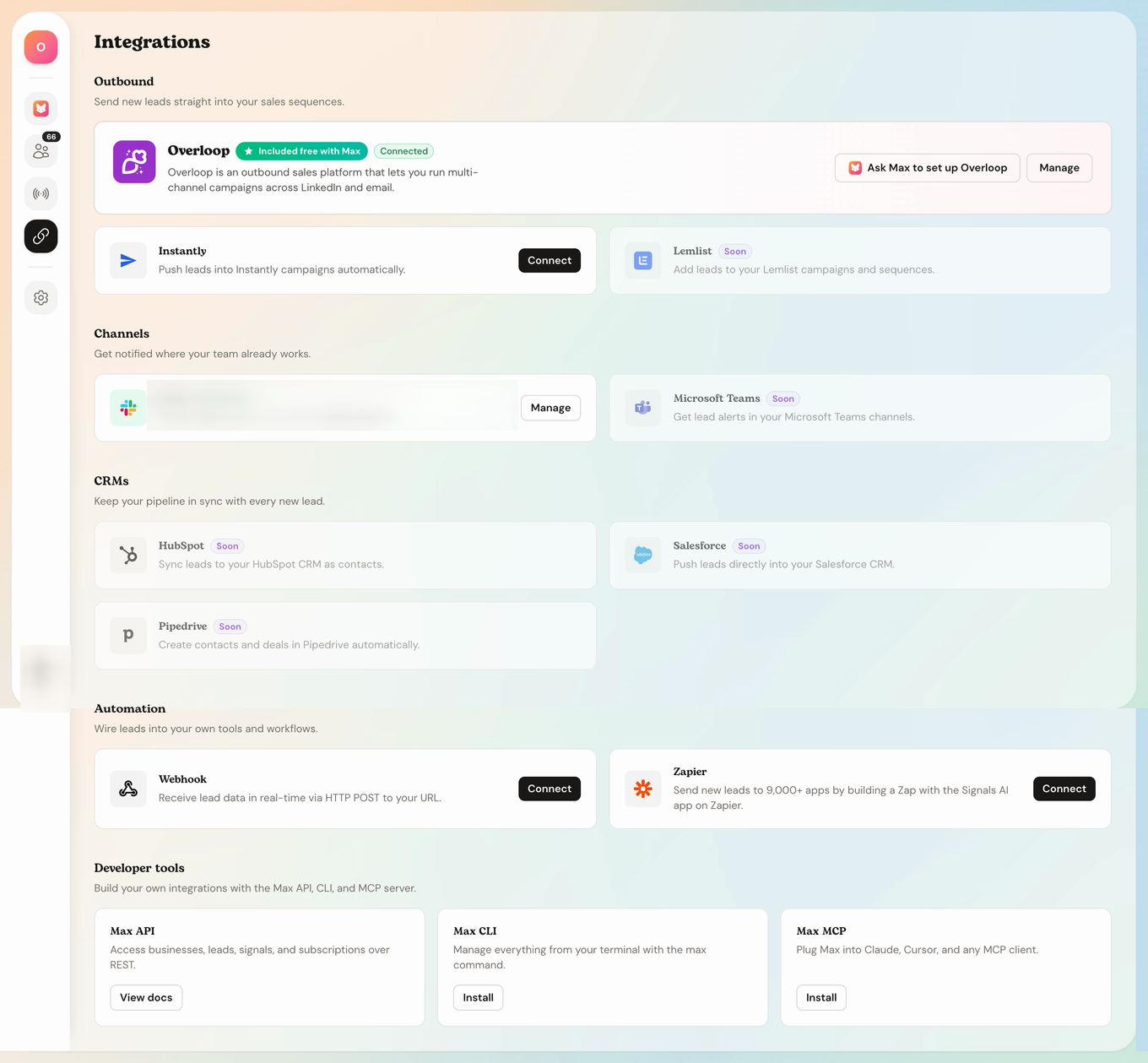
Max integrations screen with outbound, channel, CRM and automation connections
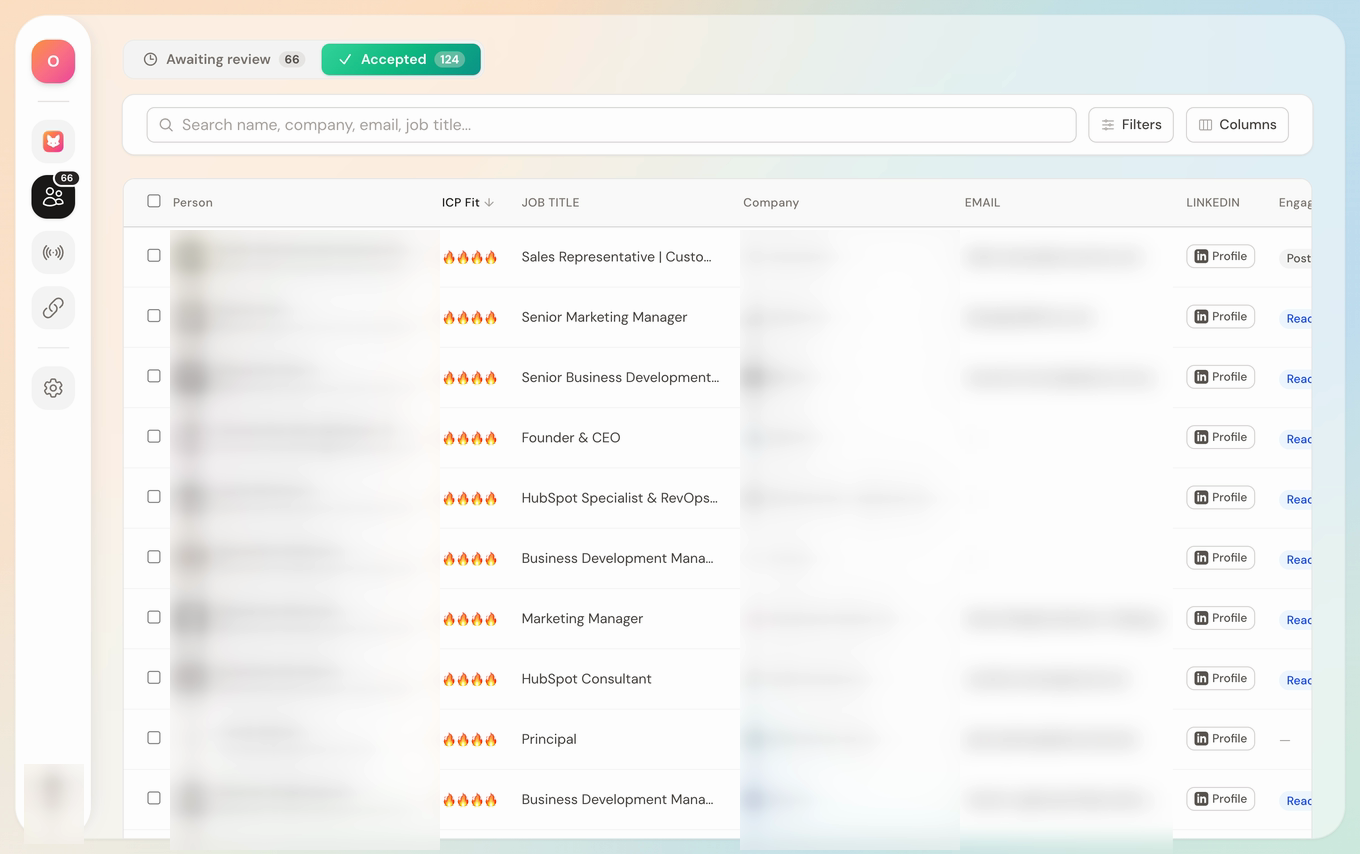
Accepted queueHuman reviewed
Max accepted-leads queue after human review

From accepted lead to outbound handoff

Keep human review upstream, then connect accepted leads to the outbound and collaboration tools your team already uses.

The actual Max integrations screen and the accepted-leads queue used before an outbound handoff.
What Max is showing hereIllustrative example
#1 · Contact firstReady for your review

How Max would operate the turn intent signals into outbound campaigns loop

Launch

Signal Max verified

For turn intent signals into outbound campaigns, Scout opens one case with this inspectable input: Job changes.

Scout gathers job changes, preserves the source, and exposes unresolved fields rather than completing them with guesses.

What Max refused to assume

For turn intent signals into outbound campaigns, Max does not assume that an available input deserves repetition, outreach, or scale. The team applies the field note rule instead: Use 0 for absent, 1 for unclear, and 2 for operational. Do not run the playbook when the input, accountable owner, evidence boundary, or stop condition is missing. Repeat only the part supported by the recorded buyer and commercial outcome.

Why it ranks here

For turn intent signals into outbound campaigns, the illustrative account clears the playbook's evidence boundary, has a named owner, and supports a useful output: Signal-to-message matrix.

Decision trace: Strategist applies the playbook and records a Launch decision with its failed or passed gate.

Recommended next action

A review-ready first-touch draft that gives the buyer signal-to-message matrix before asking one easy-to-correct question about turn intent signals into outbound campaigns.

Closer prepares a concise draft that delivers signal-to-message matrix. The draft remains unapproved.

Your rep stays in control

A named human reopens the evidence for turn intent signals into outbound campaigns, checks the inference, wording, permission, and suppression rules, then approves or rejects any external action.

Start tomorrow with the right leads.

Use Max to keep the turn intent signals into outbound campaigns decision inspectable while your team retains approval.

Start for free

Cancel anytime

Evidence desk

Research notes and sources

Sources were checked on . Each note states the limited point the source supports, so a benchmark is not mistaken for a promise.

How to read this bibliography

These references support the factual context and methods in this guide. They do not certify every sentence, validate a vendor's marketing claims, or imply that Max ran a hands-on product test. Vendor and industry research can still be useful, but its commercial incentives, sample, geography, and date should remain visible.

  1. Official guidanceEuropean Data Protection Board·Live guidance; accessed 2026-07-21

    Legal Basis (opens in a new tab)

    What it supports
    The requirement to identify a GDPR legal basis before processing personal data and the added constraints around sensitive categories.
    Limit
    High-level EU guidance, not legal advice or a blanket authorization for direct marketing, tracking, enrichment, or outreach in any jurisdiction.
  2. Official guidanceUK Information Commissioner's Office·Live guidance; accessed 2026-07-21

    Business-to-Business Marketing (opens in a new tab)

    What it supports
    The UK distinction between corporate and individual subscribers, how PECR and UK GDPR can apply to B2B direct marketing, transparency, lawful basis, objections, and suppression.
    Limit
    UK regulatory guidance, not legal advice and not a substitute for checking the recipient type, channel, data source, jurisdiction, and current rules.

Methodology

How this brief was built.

Last material update
July 21, 2026. Dates change only when the article itself changes; a new year in the title is not treated as proof of freshness.
How it was built
This guide combines operator workflow steps, campaign packet requirements, human review points, and measurable conversion signals. The examples are teaching scenarios, not claims that a named prospect has private intent.
Limits
Benchmarks are directional, vendor facts can change, and no framework guarantees replies or revenue. Confirm material pricing, platform, legal, and compliance decisions at the primary source.

Questions

Questions buyers ask before acting.

How do you use intent signals in outbound?

Use them to prioritize research and form a buyer-situation hypothesis. Confirm account fit, preserve the evidence, state what the signal does not prove, identify the likely owner, choose a useful asset, and require human approval before contact.

How many signals should one campaign use?

Use the smallest set that explains one buyer situation clearly. One strong, inspectable signal plus account fit is easier to learn from than a blended score containing many unrelated clues. Add corroboration when it genuinely strengthens the interpretation.

What is the biggest signal-to-campaign mistake?

Writing copy before validating the evidence and buyer situation. That leads to messages that repeat a tracked behavior, guess at internal priorities, or offer the same asset regardless of what changed.

What should the weekly review include?

Review approved, watched, and rejected accounts; positive and negative replies; resource requests; meetings; qualified opportunities; pipeline; opt-outs; complaints; and false positives. Break the results out by signal, segment, owner, asset, and message angle.

Can Max create campaigns from intent signals?

Yes, once the team has defined the fit, evidence, scoring, asset, routing, review, and measurement rules. Max can help assemble the campaign packet and drafts, while a human remains responsible for approval and contact.

Make tomorrow morning easier

Start with the right leads at the top of the list.

Use Max to keep the turn intent signals into outbound campaigns decision inspectable while your team retains approval.

Start for free

Cancel anytime